
Many people want to play PlayStation 2 games on their PCs. PCSX2 is the best PS2 emulator today. It works fast. It supports many games. But it also needs a BIOS file to run. The BIOS helps the emulator start games in the right way. Many new users do not know how to get this file safely. They often look for fast downloads online. But this can be risky. This guide will help you learn how to download and install BIOS PCSX2 safely in 2025. It uses simple steps and safe methods.
Why BIOS Is Needed for PCSX2
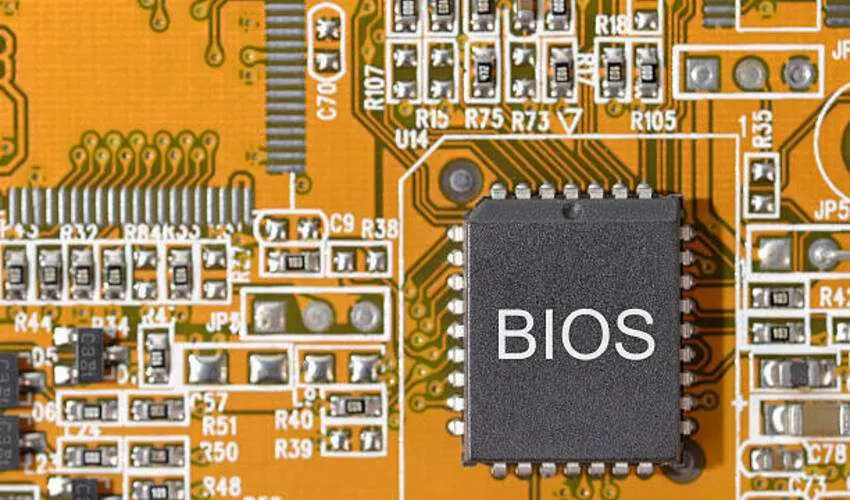
PCSX2 cannot run PS2 games without the BIOS. The BIOS contains system data from a real PS2 console. This data helps the emulator behave like the real device. Without it, most games will not start. Some may even crash. So it is very important.
Legal Warning Before You Start
You must know one important fact. PS2 BIOS files are copyrighted. You must not download them from random sites. This is illegal. It may also harm your device. Many websites share BIOS files with malware. Some contain harmful tools and viruses. So never download BIOS from unknown websites. You can only use the BIOS file that comes from your own PS2 console. This rule is important. It keeps you safe. It also keeps you within the law.
Is It Safe to Download BIOS Online?
In most cases, no. Many online BIOS files are risky. Some may work, but many bring unwanted software. Some may steal your data. Some may damage your device. So it is not safe. The correct and safe way is to dump the BIOS from your own PS2 console. This method may sound hard. But it is not. You only need a few steps. They are easy to follow.
How to Dump BIOS from Your PS2 in 2025
Here is the safe and legal way to get your BIOS. Follow each step closely. Keep all files clean.
Step 1: Prepare the Tools
You need three items:
- Your PS2 console.
- A USB flash drive.
- A BIOS dumping tool like “BIOS Dumper”.
- This tool helps copy the BIOS from your console. It is safe. It is legal.
Step 2: Download the BIOS Dumper Tool
Search for the official “BIOS Dumper” tool. Make sure you download it from the official PCSX2 site or GitHub. These places are safe. Never use unknown sites. Many fake tools are online. They may install malware.
Step 3: Copy Files to USB Drive
Place the BIOS Dumper files on your USB drive. Make sure your USB is empty. This makes the process clean and easy.
Step 4: Plug the USB Into Your PS2
Insert the USB drive into your PS2. Turn on your PS2. Run the tool using a method like Free McBoot. Many PS2 owners already use Free McBoot. It helps run homebrew apps.
Step 5: Dump the BIOS
Start the dumper. Follow the simple on-screen steps. The tool will copy your BIOS files onto the USB drive.
This process takes only a few minutes.
Step 6: Move BIOS to Your PC
Now remove the USB from your console. Plug it into your PC. You will see BIOS files inside. Copy them to a folder on your computer. This folder must stay safe. Do not rename files. Do not edit them.
Installing BIOS in PCSX2 on Windows in 2025
Now you have your legal BIOS. You can install PCSX2 and set it up.
Step 1: Download PCSX2
Go to the official PCSX2 website. Download the latest stable version. Do not download from fake sites. Always check the source. PCSX2 now comes with an easy installer for Windows.
Step 2: Install PCSX2
Run the installer. Follow the steps. The process is simple. Pick the install folder. Allow the installer to finish.
Step 3: Open PCSX2
When the emulator opens for the first time, it will ask for the BIOS. This is normal. The emulator cannot run without it.
Step 4: Select BIOS Folder
Click on “Select BIOS Folder.” Choose the folder where you saved your dumped BIOS. PCSX2 will scan the folder. It will detect the BIOS files.
If the files are correct, PCSX2 will load them automatically.
Step 5: Finish Setup
After selecting the BIOS, PCSX2 will finish the setup. Now you can load PS2 games in ISO format. Your emulator is ready.
Installing PCSX2 BIOS on Linux and macOS in 2025
PCSX2 also works on Linux and macOS. The steps are almost the same.
- Install PCSX2 from the official site or package manager.
- Open PCSX2.
- Select the BIOS folder.
- Save settings.
PCSX2 will then load your BIOS and start normally.
How to Stay Safe While Installing BIOS and PCSX2
Many users may still try to find quick BIOS downloads online. But this is unsafe. Here are some tips to stay safe:
- Do not trust random download sites.
- Use only official tools.
- Keep your antivirus active.
- Never download “pre-configured PCSX2 packs.”
- Avoid BIOS ZIP files shared on social media.
- Always use your own dumped BIOS.
These steps protect your PC and your data.
Benefits of Using Your Own BIOS
Using your own BIOS has many benefits. It increases performance. It gives better game stability. It also prevents crashes. Games run smoother. Your settings stay clean and personal. Most importantly, you stay within the law. This is very important in 2025. Many countries are strict about copyright. Using your own BIOS keeps you safe.
The Role of BIOS PCSX2 in Emulator Performance
The BIOS PCSX2. Files help improve the emulator’s behavior. They also help your games run in the right environment. Without the BIOS, PCSX2. File, your emulator may not work. So you must install it correctly. A correct BIOS file gives faster game loading. It also makes controls smoother.
Conclusion
PCSX2 is a great emulator in 2025. It lets you enjoy your PS2 games on modern devices. But it needs a BIOS file to work. Many users try to download this file online. But that is unsafe and illegal. The best and safest method is to dump the BIOS from your own PS2 console. This keeps your system safe. It also keeps you legal. After dumping the BIOS, the installation process in PCSX2 is simple. You only need to select the BIOS folder. Then the emulator is ready. Follow the steps in this guide carefully. You will enjoy a safe and smooth PS2 gaming experience on your PC.
FAQs
1. Can I download PS2 BIOS from the internet?
No. It is illegal and unsafe. You must dump your own BIOS.
2. Is dumping BIOS difficult?
No. The process is simple. You only need basic tools.
3. Can PCSX2 work without BIOS?
No. The BIOS is required for the emulator to start games.
4. Is PCSX2 safe in 2025?
Yes. It is safe if you download it from the official website.
5. Can I use someone else’s BIOS?
No. You must only use your own BIOS for legal reasons